
Best Voice Journaling Apps in 2026 (Voice-First, Tested)
A voice journal app should let you talk, not type. We tested the voice journaling and voice diary apps of 2026 to find the voice-first ones.
Most journaling apps are built for typing. Some of them added a microphone button and called it “voice journaling.” That is not the same thing.
Real voice journaling means you open the app, talk, and the app does something useful with what you said. It transcribes. It analyzes. It helps you see what you could not see by just writing it down.
The problem is that very few apps are actually built this way. We tested every app that claims voice journaling as a feature. Here is what we found.
What “Voice Journaling” Actually Means
Before we get into the apps, it helps to understand what separates real voice journaling from an app that happens to have a record button.
Microphone button apps let you record audio and attach it to a text entry. The voice is an add-on. The app is still designed around typing.
Voice-first apps are designed so that speaking is the primary way you use them. The app transcribes what you say, processes it, and gives you something back. You do not need to type anything.
The difference matters because voice journaling works best when you can just talk without thinking about structure. If the app still expects you to type a title, pick a category, and then maybe record something, you lose the benefit. The whole point is to lower the friction to zero.
Quick Comparison
| App | Voice Experience | AI Analysis | Pricing | Platforms |
|---|---|---|---|---|
| Know Your Ethos | Voice-first (core experience) | Yes (pattern recognition) | Free / $9.99/mo | iOS, Android |
| Day One | Audio recording (attachment) | Minimal | Free / ~$4.17/mo yearly | iOS, Android, Mac, Windows, Web |
| Dayora | Voice with transcription | Yes (daily summaries) | Free | Web only |
| Just Press Record | Recording + transcription | No | $6.99 one-time | iOS, Mac, Apple Watch |
Which pattern runs your life?
Before picking an app, find out what you actually need to work on. 10 statements, 60 seconds, no email required.
Take the Free Blind Spot Test1. Know Your Ethos
Voice-First with AI Pattern Recognition
Know Your Ethos is the only app we tested where voice is genuinely the core experience. You open the app, pick an entry type (daily reflection, meditation, dreams, life events, or ambitions), and start talking. The AI transcribes everything, then responds with reflections grounded in Stoic philosophy.

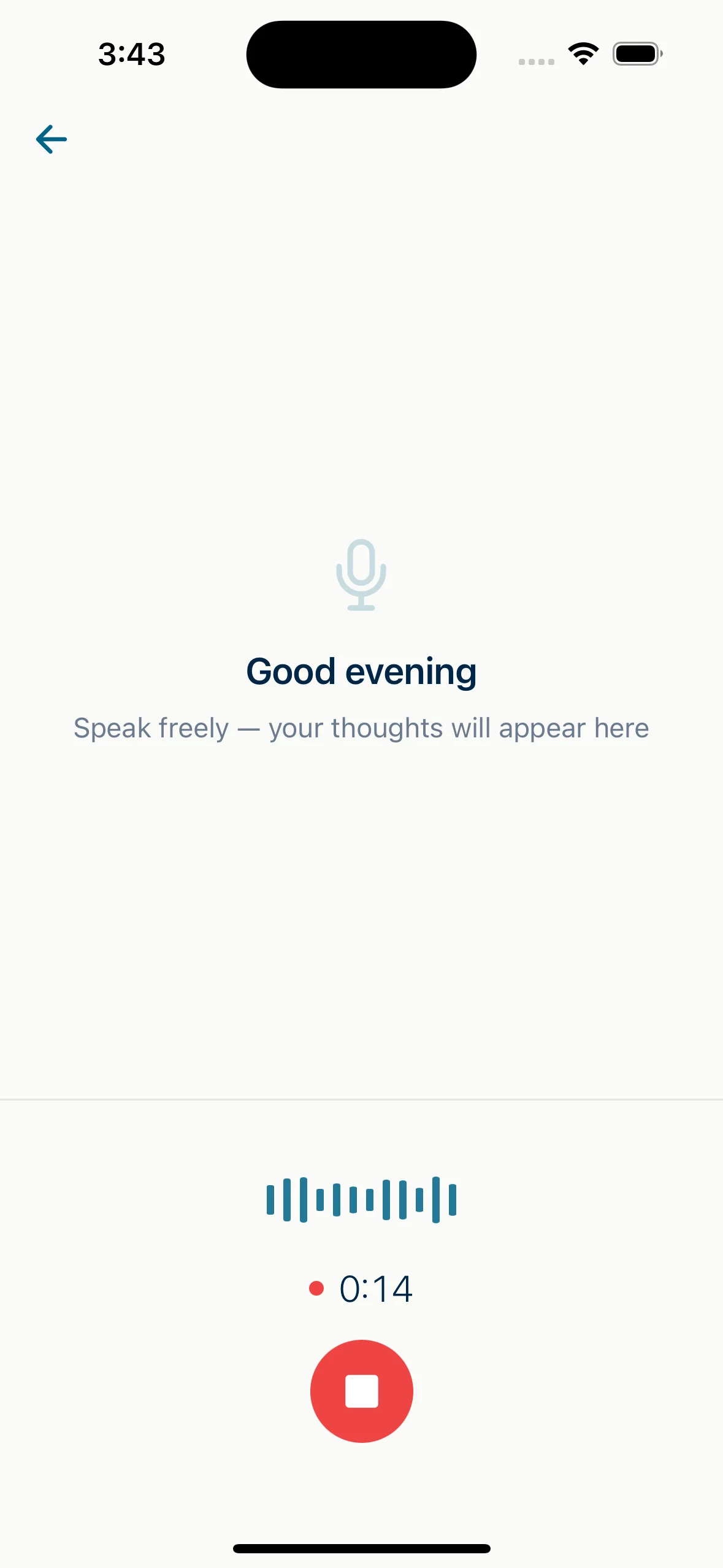
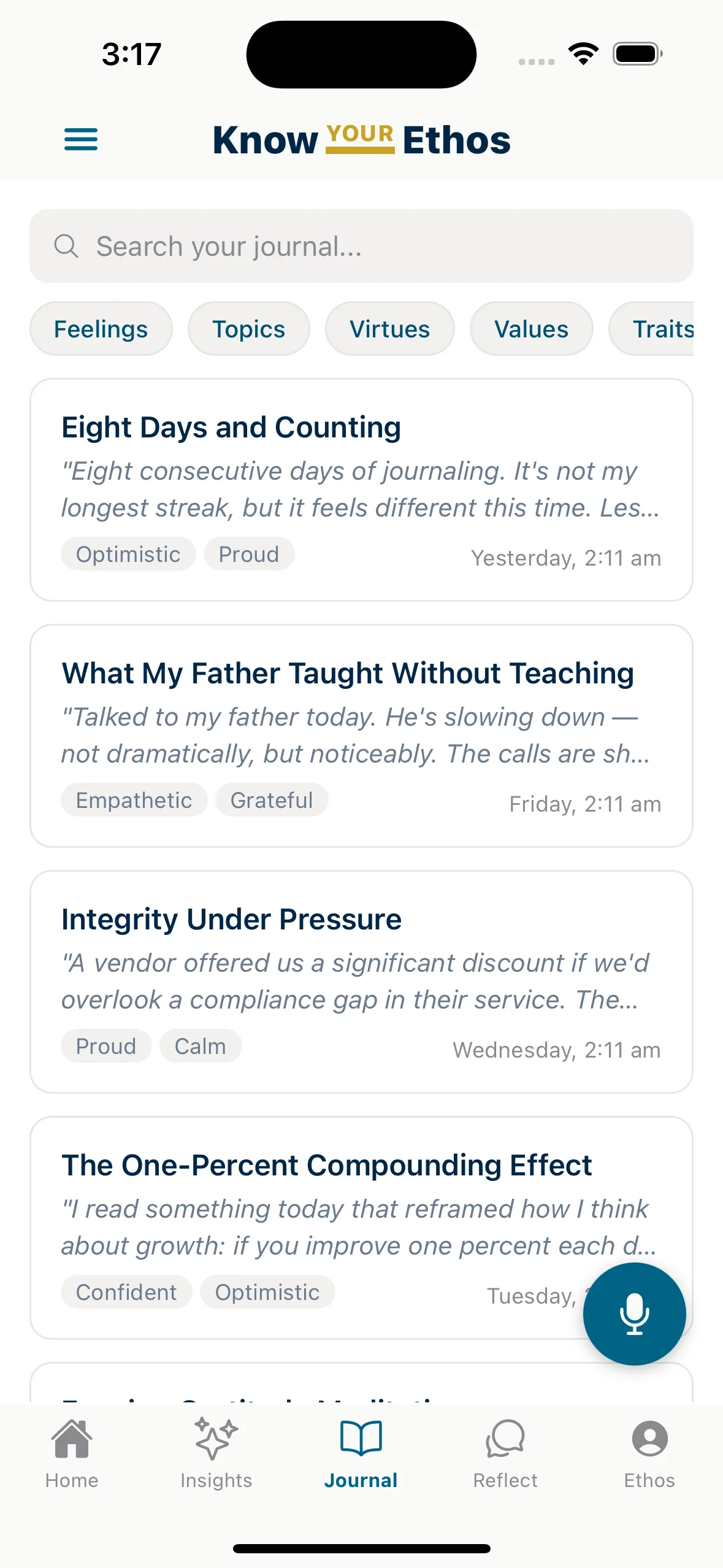
What it does well: The voice experience is smooth. There is no typing required. You speak, and the AI processes what you said through the lens of a personal “daimon” -- an AI mirror that surfaces patterns, blind spots, and contradictions you cannot see on your own. Over time, the app builds a picture of your values and shows you where your actions do not match what you say you believe.
The Blind Spot Test is a free 60-second tool that reveals which of 5 avoidance patterns runs your life. It is a good way to see if the approach resonates before committing to the app.
Limitations: No web app yet. The philosophical framework is Stoic-grounded, so if you want something purely secular or therapy-oriented, it may not be the right fit. The AI mirror gets more useful over time, so the first few entries are less powerful than the 30th.
2. Day One
The Classic Journal with Audio Recording
Day One has been the gold standard for digital journaling since 2011. It supports text, photos, videos, drawings, and audio recordings. It is the most polished traditional journal available, and it recently added light AI features.
What it does well: The audio recording feature lets you attach voice memos to journal entries. Cross-platform sync is excellent. The “On This Day” feature for revisiting old entries is genuinely nice. If you want a beautiful multimedia journal that includes audio as one option among many, Day One is hard to beat.
Limitations: Audio is an attachment, not the primary experience. The app does not transcribe your recordings into searchable text. There is no AI analysis of what you said. You record, and the audio sits there. If you want voice journaling that actually does something with your words, Day One is the wrong tool.
3. Dayora
Free AI Voice Journaling (Web Only)
Dayora is a newcomer that offers AI-powered journaling with voice transcription, mood tracking, and pattern recognition. Everything is free. No paywalls, no credit card, no trial. Their MED framework (Mindfulness, Energize, Daily Regulation) gives the app a wellness angle.
What it does well: The price-to-feature ratio is the best on this list. Voice journaling with real-time transcription, AI daily summaries, relationship tracking, and a 7-point mood scale. All free. If you want to test voice journaling before paying for anything, this is the place to start.
Limitations: Web-only is a real problem for journaling. You cannot pull out your phone and talk into it while walking. You need to be at a computer with a browser open. Being brand new also means less proven reliability. The “completely free” model raises fair questions about how long it lasts.
4. Just Press Record
Simple Recording, No AI
Just Press Record does exactly what the name says. You press record, you talk, it saves the recording and transcribes it. No AI analysis, no prompts, no mood tracking. It is a voice recorder with transcription.
What it does well: Simplicity. The Apple Watch complication lets you start recording from your wrist with one tap. Transcription is accurate and searchable. If you want a dead-simple way to capture voice notes and find them later by searching the transcript, this works.
Limitations: No AI, no analysis, no prompts, no insights. It records and transcribes. That is it. Apple ecosystem only. If you want journaling that helps you understand yourself, this is a tool, not a practice.
What About Other Apps?
A few popular journaling apps are worth addressing even though they did not make this list:
Rosebud has one of the best AI journaling experiences available, but it is text-only. No voice support at all. If you are fine typing, see our AI journaling comparison for a detailed look.
Otter.ai is a transcription tool for meetings, not a journal. It records and transcribes, but it has no journaling features, no prompts, no reflection, no emotional analysis. People use it as a workaround for voice journaling, but it was not built for that.
Reflectly and the Stoic app are both text-only. Neither offers voice recording or transcription.
The Honest Takeaway
Voice journaling is still early. Most apps treat voice as a feature you add to a text journal, not as the core experience. The gap between “has a microphone button” and “is actually built for voice” is wide.
Here is how to choose:
Want voice-first journaling with AI that learns your patterns?
Know Your Ethos is built for that. Take the free Blind Spot Test to start.
Want a beautiful traditional journal that also records audio?
Day One is the most polished option.
Want to try AI voice journaling for free?
Dayora costs nothing and has real features.
Want the simplest possible voice recorder with transcription?
Just Press Record is a one-time purchase on Apple.
The real question is whether you want an app that records your voice or an app that listens to it. Recording is easy. Listening, analyzing, and showing you what you could not see on your own is the hard part.
Find the Pattern Running Your Life
10 statements. 60 seconds. No email required. See which avoidance pattern shapes your decisions, relationships, and habits.
Take the Blind Spot TestRelated reading: How to Start Voice Journaling | The Science Behind Voice Journaling | Best AI Journaling Apps in 2026: 7 Tested. Most Are Alike.